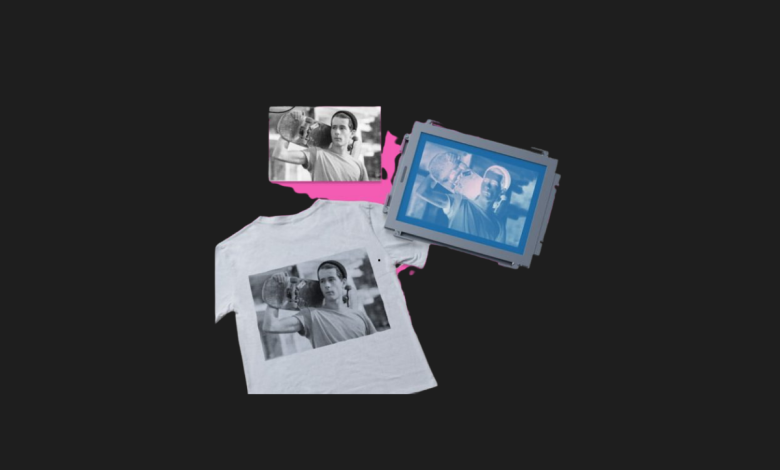

Anyone who has ever dabbled in traditional screen printing knows the absolute nightmare that is photo emulsion. The darkrooms, the messy chemical coating, the precise UV exposure times, and the inevitable heartbreak of washing out your screen only to see half your design wash down the drain. When I heard xTool was releasing a kit that allows you to bypass the entire emulsion process by using a laser engraver to create stencils, I knew I had to get my hands on it. After weeks of printing custom shirts, tote bags, and posters, I am blown away by how this kit drags an ancient art form kicking and screaming into the modern era.
- ✅ Completely eliminates the need for messy photo emulsion and UV exposure
- ✅ Incredible detail and precision achieved by using a laser for the stencil
- ✅ Brilliant easy-stretch frame design ensures perfect mesh tension every time
- ❌ You must already own (or purchase) a laser engraver for this to work
- ❌ The pre-coated mesh screens are proprietary consumables
- ❌ Multi-color registration takes practice and patience to master
| Feature | Details |
|---|---|
| Stencil Creation Method | Laser Engraving (Vaporizes coating) |
| Frame System | Quick-Tension Aluminum Frame |
| Screen Area | 11.5 x 16 inches |
| Mesh Density | 100 Mesh (included) |
| Laser Compatibility | xTool D1 Pro, S1, P2, F1, and most 3rd party lasers |
| Included Accessories | Frame, Base, Squeegee, Spatula, Ink, Practice Mesh |
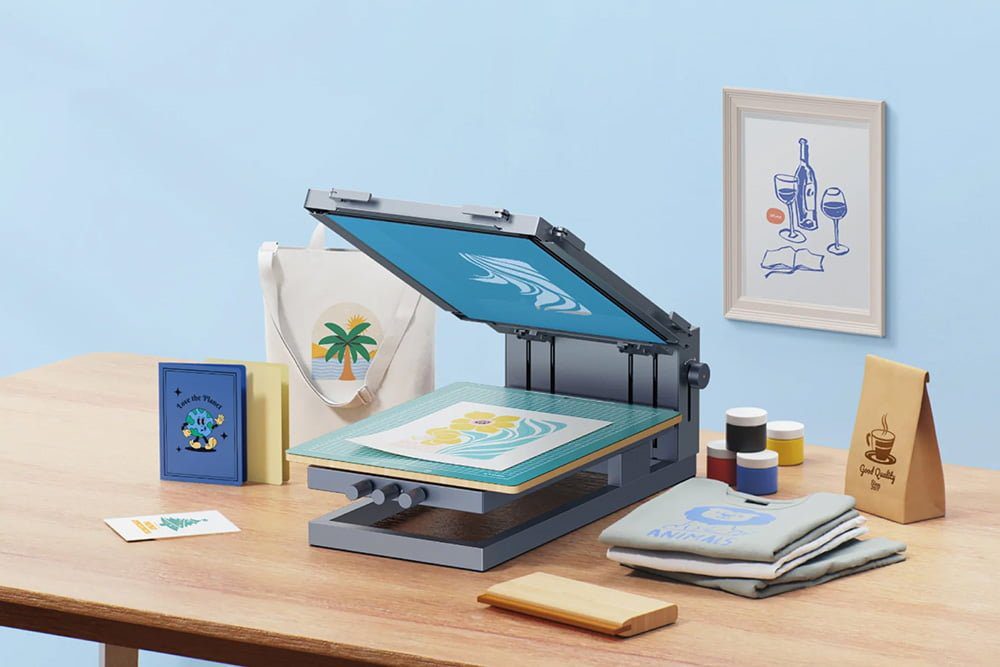
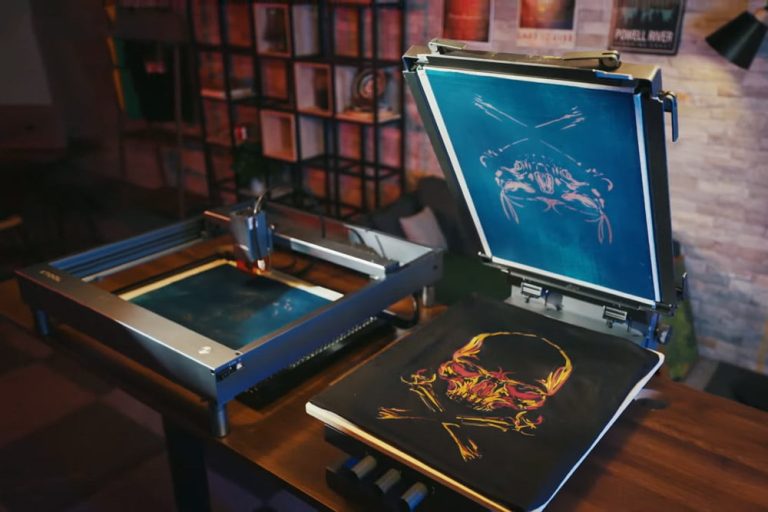
The unboxing experience of the xTool Screen Printer is immediately indicative of a well-thought-out ecosystem. The kit comes with a remarkably heavy and sturdy base station, a squeegee, printing inks, and the star of the show: the quick-tension frame. Historically, stretching mesh tightly across a wooden frame is an art form that requires specialized tools and a lot of upper body strength. xTool has engineered an ingenious aluminum frame with clamps on all four sides. You simply lay the pre-coated mesh across it, clamp the edges, and turn the corner screws to tighten it. It pulls the screen drum-tight in under two minutes, creating the perfect surface for laser engraving.
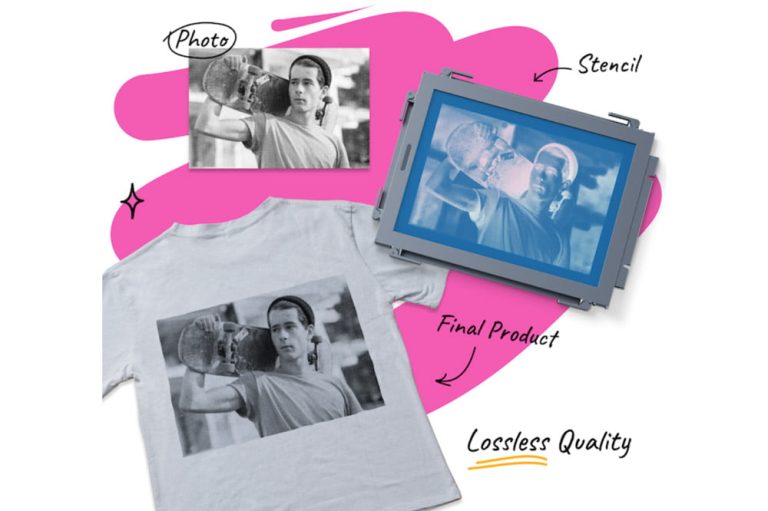
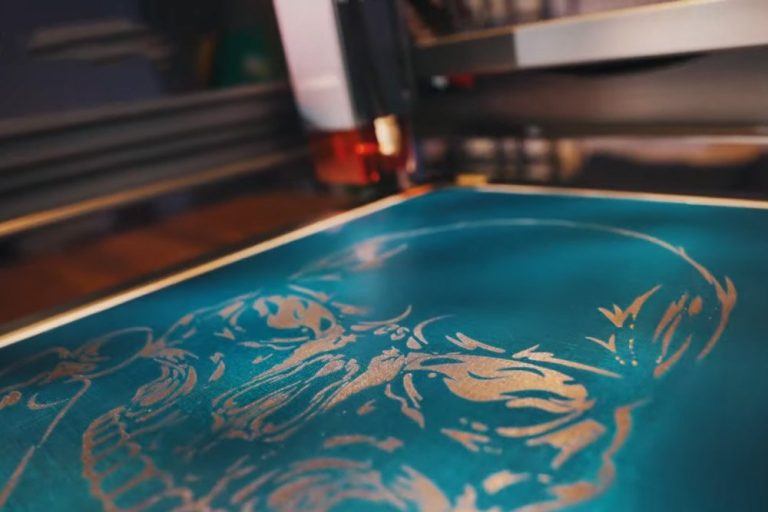
The actual magic happens under the laser. You place the tensioned frame directly into your laser engraver—in my case, an xTool S1. The mesh provided by xTool is pre-coated with a special dark layer. When the laser fires, it doesn’t burn the mesh; it simply vaporizes the coating, leaving the tiny holes of the mesh open for ink to pass through. Watching the laser carve out a highly detailed, intricate logo in a matter of minutes, completely dry and ready to use, felt like cheating. There were no darkrooms, no drying racks, no hoses washing out emulsion. It was straight from digital design to printable physical screen in less than fifteen minutes.
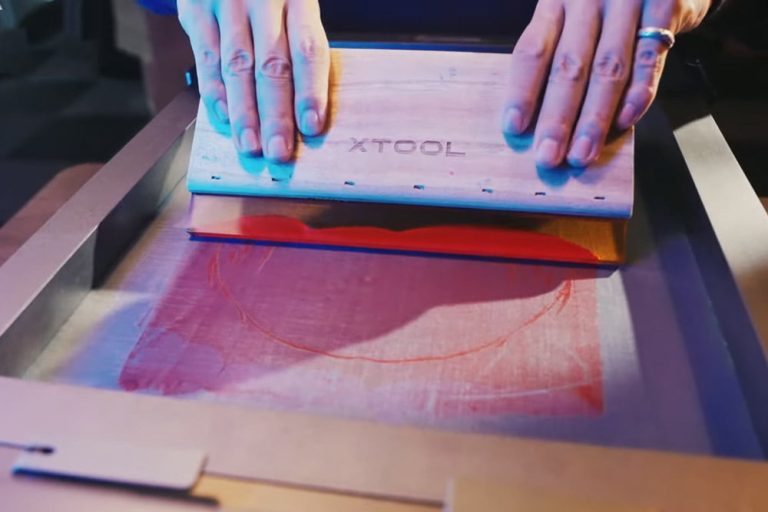
Moving over to the print station, the magnetic base is a joy to use. The frame snaps into place securely, and the heavy base ensures nothing shifts while you are pulling the squeegee. I placed a blank t-shirt on the sticky mat, lowered the screen, flooded it with the provided water-based ink, and made a firm pull. Lifting the screen revealed a flawless, razor-sharp print. The level of detail you can achieve with a laser-engraved screen far exceeds what most beginners could ever pull off using traditional photo emulsion at home. Fine text and thin line art come out perfectly crisp.
Is it entirely flawless? Not quite. Multi-color printing requires a dedicated screen for each color, which means you need to buy additional mesh and master the art of aligning (registering) multiple layers perfectly. Also, while the initial kit is fairly priced at $399, you are committing to buying xTool’s proprietary pre-coated mesh screens for future projects. However, when you calculate the time saved and the zero-fail rate of making stencils, the consumable cost becomes highly justifiable. The xTool Screen Printer has genuinely democratized one of the most frustrating crafting mediums, making professional-grade apparel printing accessible right from your desk.
Who is this for?
This kit is perfect for crafters, small apparel business owners, and artists who already own a laser engraver. If you want to mass-produce t-shirts, tote bags, or art prints without dealing with the chemistry and mess of traditional screen printing, this is the ultimate solution.

Alternatives to consider:
If you don’t own a laser and want to screen print on a budget, the classic Speedball Screen Printing Kit is the traditional entry point, though you will have to learn the emulsion process. Alternatively, many crafters use a Cricut Maker to cut vinyl stencils that stick to the screen, which is great for simple shapes but lacks the fine detail of laser-engraved mesh.
Do I have to use an xTool branded laser?
No! While it is optimized to fit seamlessly under machines like the xTool D1 Pro and S1, you can use any diode or CO2 laser engraver from any brand, provided your machine has the clearance height and working area to accommodate the 11.5 x 16-inch frame.
Can the screens be washed and reused?
The frame itself is infinitely reusable. The mesh screen can be washed of ink and reused repeatedly for the same design. However, because the laser vaporizes the coating to create the stencil, you cannot “erase” the design and put a new one on the same piece of mesh.
xTool Screen Printer Review
Product Images
You Might Also Like;